
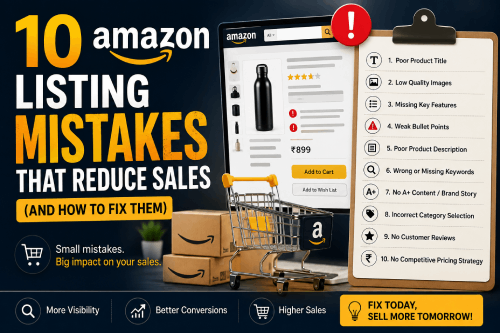
If your Amazon listing isn’t converting the way you expected, chances are it’s not your product — it’s your listing. Amazon sellers often lose 20-40% of potential sales simply because of avoidable listing mistakes that quietly push buyers to competitors.
At Digilites Studio, we’ve audited hundreds of Amazon listings across categories, and the same mistakes show up again and again. Here are the 10 biggest ones — and what to do instead.
1. Weak or Keyword-Stuffed Titles
A lot of sellers either write titles that are too generic (“Wireless Earbuds”) or cram in every keyword they can think of, making the title unreadable.
The fix: Lead with your brand, then the main keyword, followed by 2-3 key features that actually matter to buyers — battery life, size, material, use case. Your title should read naturally, not like a keyword list. Amazon’s algorithm rewards relevance, but real buyers reward clarity, and you need both to convert.
2. Low-Quality or Insufficient Images
This is the single biggest conversion killer. A blurry main image, poor lighting, or only 2-3 photos when you’re allowed 7-9 tells buyers this is a low-effort listing — and low-effort listings feel risky to buy from.
The fix: Use all available image slots. Include lifestyle shots, size comparisons, infographics showing key benefits, and close-ups of texture or detail. Buyers can’t touch the product, so your images are doing the selling for you.
3. Ignoring Backend Search Terms
Many sellers either leave backend search terms blank or repeat words already used in the title — wasting valuable indexing space.
The fix: Use backend fields for synonyms, alternate spellings, regional terms, and related use-cases you didn’t fit in the title or bullets. This is free indexing real estate that directly impacts how often your listing shows up in search.
4. Bullet Points That List Features Instead of Benefits
“Made of 100% cotton” tells a buyer what the product is. It doesn’t tell them why they should care.
The fix: Pair every feature with a benefit. Instead of “100% cotton,” write “Made of breathable 100% cotton — stays comfortable through long work days.” This small shift in language directly influences purchase decisions because buyers are scanning for a reason to buy, not just a specifications sheet.
5. No A+ Content (Enhanced Brand Content)
Listings without A+ Content typically convert lower than those with it — sometimes by a significant margin — because they miss the chance to build trust visually and answer objections before they come up.
The fix: If you’re brand registered, use A+ Content to show comparison charts, usage instructions, brand story, and FAQs. This is one of the highest-ROI updates you can make to an existing listing.
6. Ignoring Negative Reviews and Q&A
Unanswered negative reviews and unanswered questions sit right there in front of every potential buyer, quietly killing trust.
The fix: Respond professionally to negative reviews where possible, and proactively answer common questions in the Q&A section — even ones no one has asked yet, if you can anticipate them. This signals an active, trustworthy seller.
7. Wrong or Incomplete Category and Attribute Selection
Listing in the wrong category — or leaving product attributes/filters blank — reduces how often your product appears in relevant filtered searches, even if your keywords are strong.
The fix: Fill out every relevant attribute field completely (color, size, material, etc.). This directly affects whether you show up when buyers use Amazon’s left-side filters, which is a major and often ignored source of traffic.
8. Pricing Without Competitive Context
Pricing a product based only on your costs, without checking what similar listings are priced at, often leads to either lost sales (too high) or lost margin (too low).
The fix: Regularly check competitor pricing and adjust based on your positioning — premium, mid-range, or value. Also consider that Amazon’s Buy Box algorithm factors in price relative to competitors, so this affects visibility too, not just conversion.
9. Not Optimizing for Mobile Display
Over 60% of Amazon shoppers browse on mobile, but many listings are built and reviewed only on desktop — where titles, bullet points, and images display differently.
The fix: Always preview your listing on a phone. Make sure your main image and first few words of your title communicate value even when the listing is compressed for a small screen.
10. No Ongoing Optimization Based on Data
Many sellers set up a listing once and never revisit it — even as competitors update theirs, seasons change, and search trends shift.
The fix: Review your listing performance monthly. Check search term reports, conversion rate, and click-through rate, and make small, ongoing updates rather than treating your listing as a one-time task.
Final Thoughts
Amazon listing optimization isn’t a one-time checklist — it’s an ongoing process of testing, refining, and adapting to what buyers and Amazon’s algorithm respond to. Fixing even 2-3 of these mistakes can meaningfully improve your click-through rate, conversion rate, and organic ranking.
If you’re not sure where your listing stands, Digilites Studio offers Amazon listing audits to identify exactly what’s holding your sales back — and a clear plan to fix it.